

Reverb 2.0.
ePublisher's flagship web output. A responsive HTML5 helpset with full-text search, ARIA accessibility, and an AI-ready Knowledge Base built on every publish — generated from the same source documents your team already maintains.
Looking for the AI Assistant? This page is the format deep-dive.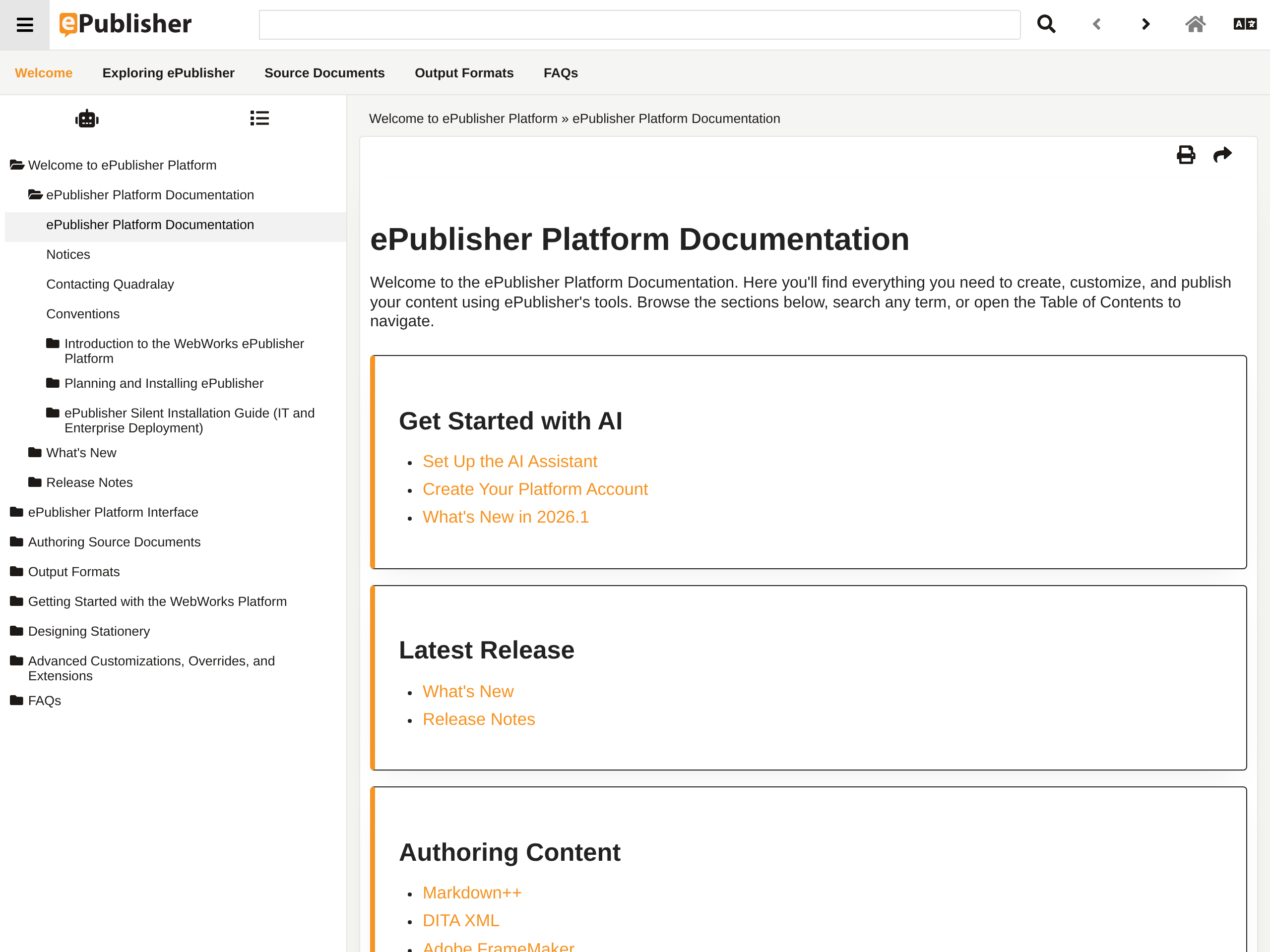
The web output for modern documentation.
Reverb 2.0 is the format documentation teams reach for when they need a polished, responsive help portal — one that runs on a public website, an intranet share, or a local browser, with no server-side runtime to deploy alongside it. ePublisher transforms source documents (Markdown++, Microsoft Word, Adobe FrameMaker, DITA XML) into a complete browser-based helpset: HTML topic pages, a JavaScript-driven navigation interface, CSS produced from SASS templates, and all supporting assets.
A Reverb 2.0 build emits a self-contained folder. The customer hosts that folder on a web server, an intranet,
or distributes it as packaged help. The entry-point file is index.html; opening it in a modern
browser loads the helpset. There are no end-user installs, no portal frameworks, and no recurring dependency
on a WebWorks-hosted service for the published output itself.
How Reverb 2.0 fits in your publishing pipeline.
Reverb 2.0 is one of several output formats produced from a single ePublisher source project. The pipeline is the same pipeline you already run for every other output; Reverb 2.0 is one target you generate from it.
Writers produce source in Markdown++, Word, FrameMaker, or DITA XML.
The team's existing authoring environment.
ePublisher applies the project's Stationery and generates a Reverb 2.0 target.
ePublisher Designer, Express, or AutoMap.
A self-contained folder with index.html, topic pages, search index, and assets.
The customer's hosting — public web, intranet, or local distribution.
Optional Knowledge Base.zip archive with one Markdown file per HTML page.
The same build, alongside index.html.
The Knowledge Base archive is opt-in, controlled by the Generate Knowledge Base target setting, and is independent of whether the helpset enables AI chat. Customers can ship the archive into any AI pipeline they already operate — or feed it to WebWorks Platform to power Reverb AI chat inside the published help.
What Reverb 2.0 delivers.
Reverb 2.0 ships with the navigation, search, and accessibility features modern documentation portals are expected to provide — out of the box, with no additional integration work.
Neo, Classic, Corporate, Metro, and Social. Each skin is a complete layout — toolbar shape, menu posture, TOC iconography — that adapts to desktop, tablet, and mobile screen sizes. Pick a skin in target settings, ship. Override SASS variables or ASP templates when you want more.
Built-in search indexes both topic content and PDF/HTML baggage files. Per-style and per-tag relevance weights are author-configurable. Results display breadcrumb context, search highlighting in baggage files, and a "Was This Search Helpful?" feedback control.
HTML5 semantic landmarks, ARIA roles and states on interactive controls, full keyboard navigation with shortcuts (Alt+N/P, F6 to cycle regions), focus management for modal dialogs, and a skip-to-content link. Localized ARIA labels in 25 languages. Validated against the NVDA screen reader.
Reverb 2.0 supports deep-linking through URL fragments: search, TOC and index modes, and topic-by-alias jumps. Application Help buttons can wire directly to the right page without a custom integration layer.
Enable Generate Knowledge Base and every Reverb 2.0 build emits a Markdown set that mirrors the published HTML structure. This is what makes a Reverb 2.0 helpset AI-ready — the artifact custom GPTs, RAG pipelines, and the Reverb AI Assistant all consume.
Reverb 2.0 tracks page views, navigation interactions, search queries, search result clicks, and "Was This Helpful?" / "Was This Search Helpful?" responses through Google Analytics. Documentation teams get a real read on which topics work and which do not.
Header and footer regions are customizable through ASP page templates. TOC menu items can take per-paragraph CSS classes (via TOC Entry class markers) so specific topics get distinct styling — a different icon, a colored border. Front-page TOC behavior is a target setting.
Reverb 2.0 generates sitemap.xml, robots.txt, canonical URLs, Open Graph and Twitter Card meta tags, and last-modified dates. Topic pages are indexable by search engines and present cleanly when shared on social media.
A Google Translate button can be enabled in target settings; Reverb 2.0 detects whether the helpset is loaded from a web server vs. the local filesystem and shows the button only where the Google Translate web service can function.
Reverb 2.0 vs. ePublisher's other outputs.
Every ePublisher format is generated from the same source project. The choice between them is a question of how your readers will consume the content — not a question of duplicating source.
Reverb 2.0 is the right default for any team building a customer-facing or internal documentation portal where modern browsers are an acceptable floor. Teams currently shipping legacy web outputs (WebWorks Help 5.0, Dynamic HTML for portal use) are the primary upgrade audience. Switching, or shipping multiple formats alongside one another, does not require duplicating content.
AI-ready by design.
Every Reverb 2.0 build can produce a Knowledge Base archive alongside the HTML helpset — one Markdown file per HTML page, with the same landmark ID structure. The archive is what makes a Reverb 2.0 helpset AI-ready. The publishing happens in ePublisher; no AI runs there.
Customers ready to ship in-page AI chat can wire that archive to WebWorks Platform: configure an Assistant, upload the Knowledge Files, copy the Assistant ID into the Reverb 2.0 target settings, and the next publish ships with chat. End users ask questions on the same page they are already reading. No separate login. No new destination. Annotation links in each answer point back to specific topics in the help.
Customers who do not want AI features keep using Reverb 2.0 as a publishing format with no AI surface attached — the chat is opt-in, configured per target.
Who Reverb 2.0 is for.
Documentation teams shipping browser-based help.
The teams responsible for shipping product documentation, user guides, and reference material to readers who consume help in a browser. Reverb 2.0 is the format these teams default to when:
- · The deployment target is a public website, intranet, or local browser.
- · Modern browsers (post-Internet Explorer 11) are an acceptable floor.
- · The audience benefits from in-browser navigation features — full-text search, breadcrumbs, expand/collapse TOC, related-topic links.
- · Accessibility (WCAG/ARIA) and AI-readiness are part of the requirements.
Teams upgrading from legacy web help.
Customers shipping WebWorks Help 5.0 or using Dynamic HTML as a portal-style format are the primary upgrade audience for Reverb 2.0. The format addresses the limitations these teams already feel:
- · Responsive layout instead of frameset-era fixed widths.
- · Full-text search with relevance tuning rather than keyword-only matching.
- · Comprehensive ARIA accessibility built in, not retrofitted.
- · SEO and social-card support for help that needs to be discoverable on the open web.
- · An AI-readiness path that does not require migrating off ePublisher.
Product teams wiring context-sensitive help.
Application developers can deep-link from any UI control directly to a specific Reverb 2.0 topic using the
#context/<alias> URL fragment. F1 keypresses, in-app help icons, and "Learn more" tooltips resolve
to the page the author intended. The same TopicAlias markers your team uses across other ePublisher outputs work
the same way for Reverb 2.0 — no special integration layer.
What makes ePublisher's Reverb 2.0 stand out.
Five professionally designed skins, fully customizable
Skins are not just color themes. Each one is an opinionated layout — toolbar shape, menu posture, TOC iconography — and ships ready to deploy. Customers who do not want to invest in custom design pick a skin and publish. Customers who do invest can override SASS variables, ASP templates, or both, using the standard ePublisher Format/Target override mechanism.
The AI Assistant is a configuration change, not a separate product
Customers already publishing Reverb 2.0 enable Reverb AI chat by toggling the Generate Knowledge Base target setting and wiring an Assistant ID from WebWorks Platform into the target. There is no new pipeline, no new authoring step, and no migration project. The chat surface is part of the published Reverb 2.0 output, not a separate deployment.
Markdown++ source produces a measurably higher-quality Knowledge Base
Documentation authored in Markdown++ flows through ePublisher into the Knowledge Base archive with structural intent (notes, procedures, cross-references) preserved as plain text. Binary or XML source has to round-trip through more conversion layers, and intent can blur. This is an ePublisher pipeline property, not a Reverb-specific feature — but it is most visible in the Knowledge Base output that Reverb 2.0 emits.
Indexable PDF and HTML baggage files
PDF and HTML files referenced from the helpset can be indexed by Reverb 2.0's search engine. Search results that point into baggage files preserve search highlighting through a small reverb-search.js reference. A Reverb 2.0 helpset can act as a unified search surface across both ePublisher-generated topics and existing PDF/HTML reference material — without rebuilding the reference material in ePublisher.
Active development cadence
Reverb 2.0 is the format that receives ongoing investment — accessibility improvements, AI features, search refinements, browser compatibility updates. Customers choosing Reverb 2.0 are choosing the format that gets the next wave of capability, rather than a format in maintenance mode.
Authoring once, publishing to any format.
Reverb 2.0 is one of several outputs ePublisher generates from the same source project. The same documents that produce a Reverb 2.0 portal can also produce Dynamic HTML for embedded in-product help, PDF XSL-FO for printable user guides, ePUB for e-readers and tablets, Eclipse Help for IDE-embedded help, and legacy formats like HTML Help, Oracle Help, Sun JavaHelp, and WebWorks Help — all in a single publishing run.
Conditional content, variables, indexing, table-of-contents structure, and context-sensitive help carry across formats consistently. Reaching multiple audiences with consistent content means writing once, branding once, and shipping everywhere your readers are.
Ready to ship a modern documentation portal?
See how Reverb 2.0 fits your documentation, your readers, and your AI roadmap. Contact us to walk through your use case, or start a free 14-day ePublisher trial and generate a Reverb 2.0 target from your own source documents today.