
One AI Assistant. Two places to put it.
An AI chatbot for your website, answering from your own pages, installed with one line of script. Publish your help with ePublisher and the same Assistant is built into it, citing the exact passage.
Sign up and get a $5 credit, no card required. The AI Assistant in the corner of this page is installed the way this page describes.
Paste it before </body>, or once in your site’s shared layout.
<script async src="https://platform.webworks.com/embed/v1/loader.js" data-assistant="your-assistant-id"></script>Embedded on your website. Built into your help.
It is the same AI Assistant, on the same service and the same plans. What changes is the job. The Assistant on your website is your most public one: it fields the most questions, and most of them are broad. The Assistant in your published help meets the people who went looking for depth. Give each the model that fits, and your busiest Assistant is also your least expensive.
Embedded Assistant
- Install
- One script tag on any page
- Knowledge
- Your websites, imported from their sitemaps, and files you upload
- Good at
- Products, pricing, sales and support topics, and finding the right page. It reads the page the visitor is on.
- Model
- Light and fast, so heavy traffic stays inexpensive
- Shows its work
- A Sources row of the pages each answer used
- Needs ePublisher
- No
Reverb Assistant
- Install
- The Assistant ID in a Reverb 2.0 target
- Knowledge
- The Knowledge Base from the same build as the help
- Good at
- Procedures, settings, and in-depth product questions
- Model
- Larger, with more reasoning, for the questions that need it
- Shows its work
- Citations that open the topic at the exact passage
- Needs ePublisher
- Yes
Run both, and import your help as one of the Embedded Assistant’s websites. It answers the broad question and sends the deep one to the right page of your help, where the Reverb Assistant takes over. Each Assistant has its own model and reasoning setting, so how you split the work is up to you.
One line on your site. Grounded answers from your site.
No build step and no iframe. Paste the script tag into your pages, add your domain to the Assistant’s Origin Domains, and import your site into its Knowledge Base. You don’t need ePublisher, or any publishing tool, to start.
Give Platform an address and it imports the pages under it, read from the site’s sitemap. Up to ten websites per Assistant, so your marketing site and your help center sit side by side. Each refreshes weekly, or when you press Refresh.
The Assistant links only to pages Platform has seen: the pages it imported, links in files you uploaded, and the page the visitor is on. Anything else appears as plain text, never as a link.
Each answer lists the imported pages it drew on, so a visitor can check the claim on your own site.
The Assistant sees the page the visitor is on when they ask, so “what does this plan include?” gets an answer about this plan.
The panel renders in its own shadow root, so your styles neither leak in nor break it. Pick an accent, a background, and a welcome line, in English, Spanish, French, German, or Japanese.
The script places only the launcher. The rest of the Assistant loads when a visitor opens it.
In depth, down to the passage.
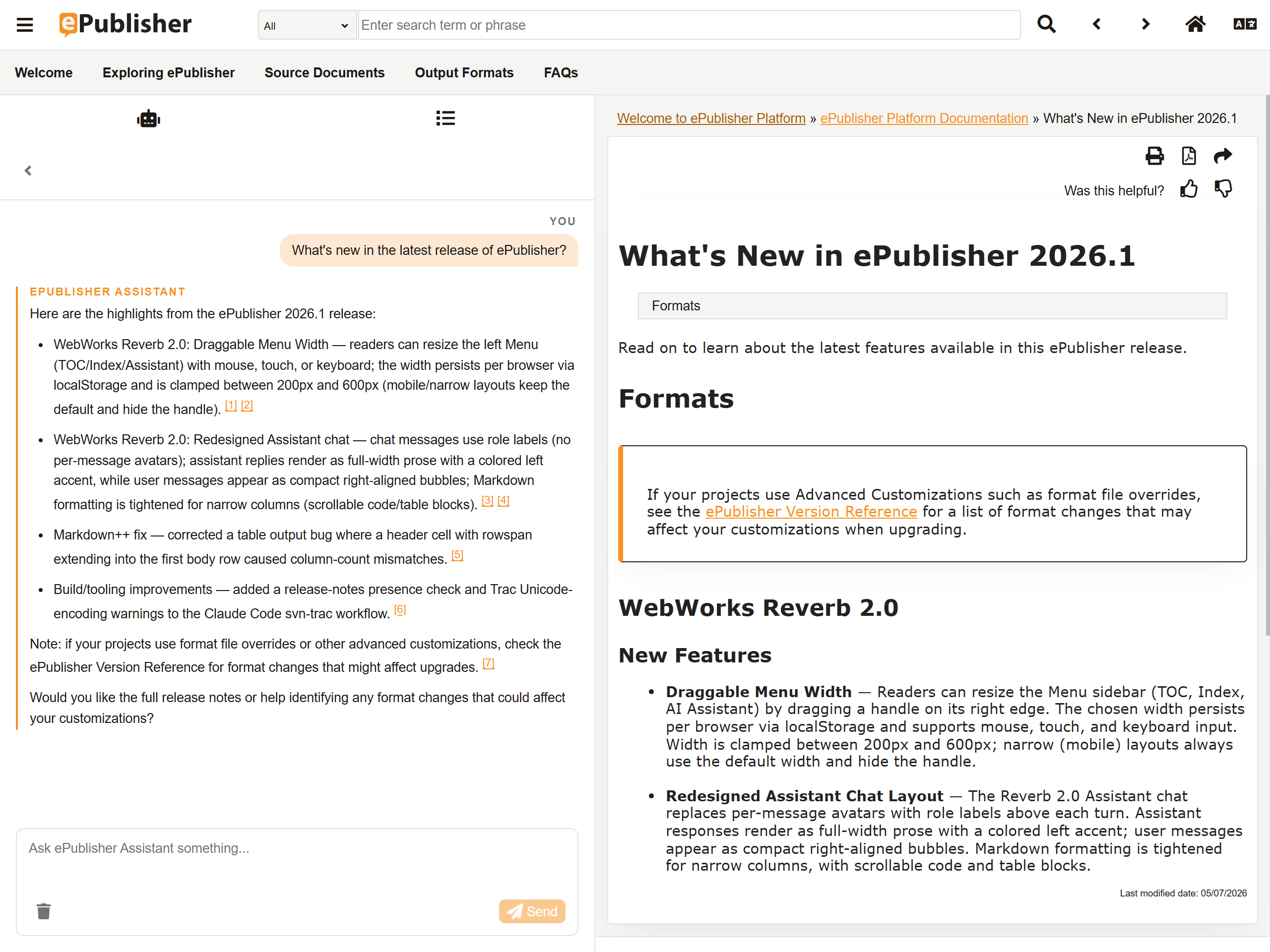
Reverb 2.0 help published with ePublisher has the Reverb Assistant built in. Its Knowledge Base comes out of the same build as the pages, so a citation is a coordinate rather than a guess: click it and the topic opens at the passage the answer came from.
Put the Assistant’s ID in your Reverb 2.0 target and the next build ships it. The people reading your help bring the hard questions, so give this Assistant a larger model and more reasoning to answer them.
See every answer before your visitors do.
Configure on the left, ask on the right. Every change shows up in the next answer, and nothing reaches your site until you switch it on.
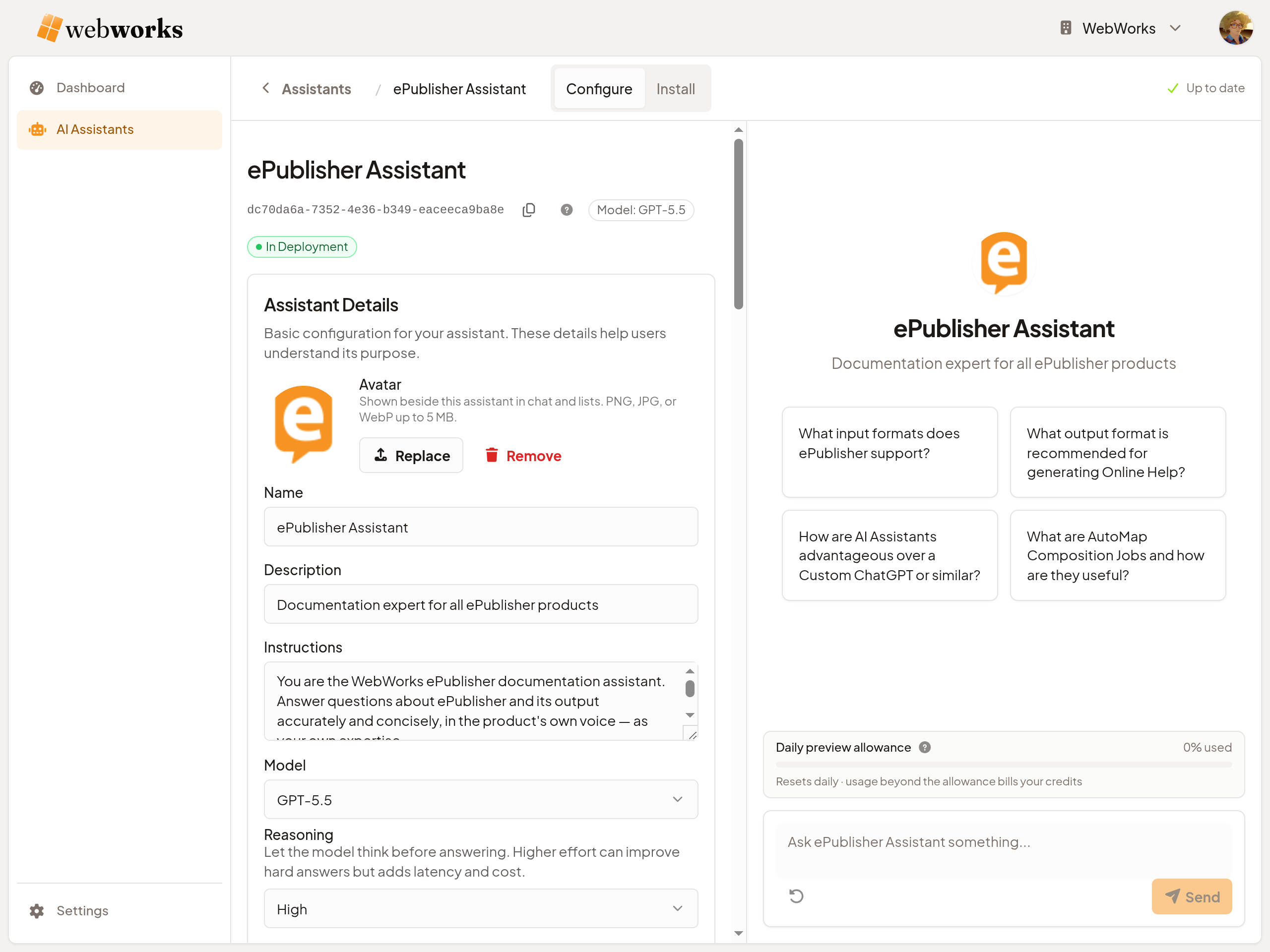
Preview answers with the Instructions, model, and reasoning you are editing, before you save them.
Each preview answer shows its citations and what it would cost in deployment. A reasoning model’s summary streams while it thinks.
Preview draws a daily allowance, not your credits, and every plan builds and tests as many Assistants as you like.
The Install tab shows the website panel in your colors before it goes live, and a checklist names what is missing: an Origin Domain, knowledge, Instructions, then the In Deployment switch.
Honest when your content runs out.
When your pages don’t cover a question, the Assistant says so instead of guessing. It is scoped to your Knowledge Base and the Instructions you wrote, and every question runs a fresh search of that knowledge.
The question doesn’t disappear with the refusal. It reaches the Platform dashboard’s Top Concepts, ranked with everything else your visitors ask, so what your site doesn’t answer arrives as a list of what to write next.
Same service, same plans.
Both installs run on the same plans and prices, and nothing is held back from either. Pay-As-You-Go runs one live Assistant with no fee, answering on the free model with a “Powered by WebWorks” line. Pro and Enterprise run several live Assistants without the line, with AI usage included every month, so an Embedded Assistant and a Reverb Assistant can work side by side.
When paid usage runs out on any plan, your Assistants keep answering on the free model. No surprise bill.
Try it on your own site.
Sign up free and get a $5 credit to try the AI Assistant. Import your website, test it in Preview, and paste one line when it’s ready. No card required.