
ePublisher.
WebWorks ePublisher is help authoring and single-source publishing software. You keep writing in Word, FrameMaker, DITA, or Markdown++, and it publishes HTML5 help, PDF, ePUB, and more from one project, with an AI-ready Knowledge Base on every Reverb 2.0 build.
Keep writing where you write.
ePublisher reads Microsoft Word, Adobe FrameMaker, DITA XML, and Markdown++, and one project can mix them. The same Stationery, conditions, variables, and output targets apply to every source, so moving a book to Markdown++ later changes the source, not the output.
Word 2013 to Microsoft 365. Paragraph and character styles, tables, images, variables, and conditions carry into every output, and the WebWorks Transit menu adds markers for online features.
FrameMaker 2017 to 2022, structured and unstructured. Books, cross-references, markers, variables, conditions, and index entries carry into every output.
DITA maps, processed with DITA Open Toolkit 4.4 by default. Classes and specializations map to your styles, and ditaval filtering, keyrefs, and conrefs carry through.
Plain-text Markdown with conditions, variables, includes, and styles. An open format, MIT licensed, that people and AI both read.
Discover Markdown++The build that ships your help — and your AI.
Every Reverb 2.0 build produces the published HTML5 helpset and a matching Knowledge Base archive — markdown, one page per topic, with stable landmark IDs, ready to upload to WebWorks Platform. One deterministic pass; two artifacts; no second pipeline to maintain. The same source documents author the help your readers see and the input the AI retrieval layer answers from.
Author with your preferred source document type — Markdown++, Word, FrameMaker, or DITA XML.
Apply your project Stationery and produce every output target — including the matching Knowledge Base archive for AI retrieval — in a single pass.
Ship responsive HTML output, PDF, ePUB, Eclipse Help, and legacy formats — all from the same source project.
Every output from one source.
Author once and publish to every channel your readers depend on — modern web, print, digital book, in-app help, and the established formats long-running deployments rely on. ePublisher generates each output from the same source project, with shared styling, conditions, and variables across the set.
Reverb 2.0.
ePublisher's flagship web output. A responsive HTML5 helpset with full-text search, ARIA accessibility, and an AI-ready Knowledge Base built on every publish — generated from the same source documents your team already maintains.
Explore Reverb 2.0Dynamic HTML
Browser-based online help that drops straight into your web application — collapsible navigation, full-text search, an index, and related-topics links. No server runtime, no portal framework.
Explore Print fidelity · PagedPDF (XSL-FO)
Print-fidelity paged documents with page layout, headers, footers, and styling defined centrally in the project — applied uniformly across every input source.
Explore Digital book · IDPF standardePUB
Standard digital books that open on Adobe Digital Editions, Apple Books, and the e-readers, tablets, and publishing platforms your readers already use.
Explore IDE help · In-appEclipse Help
Help that lives inside the Eclipse IDE — HTML topics, an XML table of contents, and context plug-in mappings the Eclipse Help viewer expects.
Explore Migration on-rampMarkdown++
The migration on-ramp out of binary and proprietary formats. Convert FrameMaker, Word, DITA XML, and AsciiDoc into valid .md files that read in any Markdown tool — without losing structural intent.
Explore Established · CompatibilityLegacy formats
HTML Help, Oracle Help, Sun JavaHelp, and WebWorks Help for long-running Windows, Java, and web help deployments — generated from the same source you already maintain.
ExploreEight capabilities, one project.
One deterministic pass produces every output target — modern web, print, digital book, in-app help, the established formats, and the Knowledge Files for AI retrieval — with consistent styling, conditions, and variables across the set.
Author in Markdown++, Microsoft Word, Adobe FrameMaker, or DITA XML — or mix all four in the same project. ePublisher applies the same Stationery, conditions, variables, and output targets across every source.
Tailor every aspect of your documentation through project Stationery — style mappings, target configuration, page templates — so output aligns with your design requirements and brand identity.
Define synonyms, set relevance rankings, configure interactive filters, and surface real-time search results in the published help — built into Reverb 2.0 on every publish.
ePublisher AutoMap runs the publishing pipeline unattended — scheduled jobs, CI/CD-driven publishes, and AI-agent-driven workflows all use the same CLI to refresh the help and the Knowledge Base archive on the cadence your team already uses.
From a handful of documents to a multi-thousand-topic library, ePublisher handles the full set in a single project — using local resources, with reproducible build times for any project of any size.
Reverb 2.0 emits Google Analytics GA4 events out of the box — see what readers search for, where they land, and which topics carry the load.
Conversion reports across styles, links, filenames, topics, images, baggage files, and conditions — the state of the whole project at a glance.
ePublisher subscription pricing.
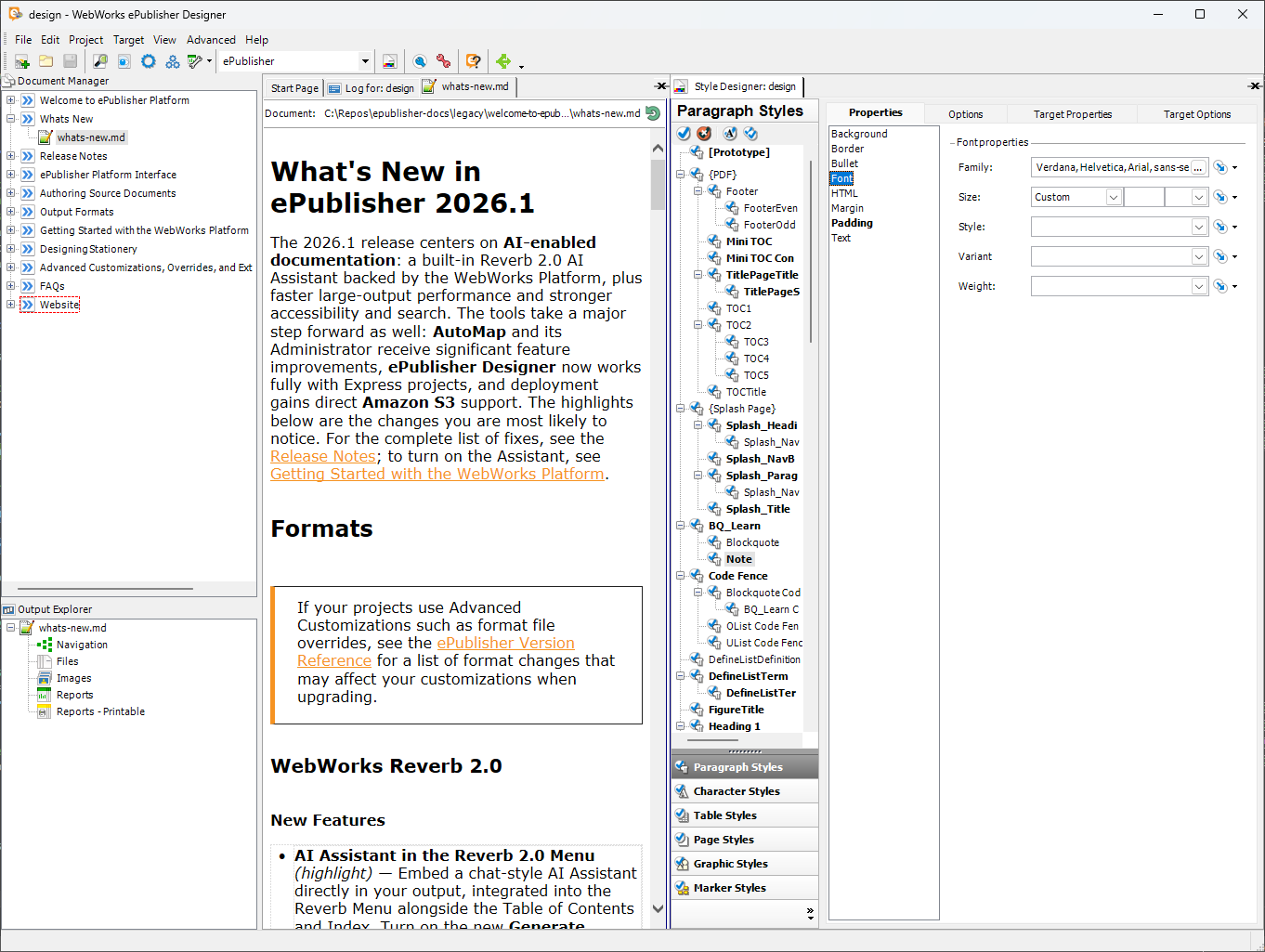
Design, brand, and publish outputs.
- Generate premier outputs
- Manage Variables and Conditions
- Reports on Your Publishing
- Modify Conditions, Variables, and Cross-References
- Design Outputs Through Easy User Interface
- Preview Content Before Generating Final Output
Efficient publishing for additional users.
- Generate premier outputs
- Manage Variables and Conditions
- Reports on Your Content
- Modify Conditions, Variables, and Cross-References
Schedule and automate publishing jobs.
The command-line surface for the ePublisher publishing pipeline. Drives scheduled builds, CI/CD-driven publishes, and AI-agent-driven workflows from the same CLI — including refreshing the Knowledge Base archive on every Reverb 2.0 build.
Expert support and resources.
ePublisher comes with people attached — documentation, a real support team, and a community that answers.
The full ePublisher documentation set, published as Reverb 2.0 — with the ePublisher Assistant answering questions right inside it.
Open a ticket in the Support Hub and it lands with people who work on the product. Prompt answers from staff, not a tier-one script.
The WebWorks Discord and Study Hall sessions put you in the room with other ePublisher users — and the developers.
Common questions about ePublisher.
- What is WebWorks ePublisher?
- ePublisher is help authoring and single-source publishing software for Windows. Your team keeps writing in Word, FrameMaker, DITA, or Markdown++, and ePublisher publishes one project to responsive HTML5 help, PDF, ePUB, Eclipse Help, and established help formats. Every Reverb 2.0 build also produces the Knowledge Base the AI Assistant answers from.
- Which source formats does ePublisher import?
- Microsoft Word 2013 to Microsoft 365, Adobe FrameMaker 2017 to 2022 (structured and unstructured), DITA XML maps, and Markdown++. One project can mix them, and the same styles, conditions, and variables apply to every source.
- Which output formats does ePublisher produce?
- Reverb 2.0 responsive HTML5 help, PDF through XSL-FO, ePUB, Eclipse Help, Dynamic HTML, and Markdown++, plus HTML Help, Oracle Help, Sun JavaHelp, and WebWorks Help for established deployments. Every output comes from the same project.
- Does ePublisher support DITA?
- Yes. ePublisher publishes DITA maps through DITA Open Toolkit 4.4 by default, which needs Java 17 or later, and earlier DITA Open Toolkit versions stay selectable for older projects. DITA classes and specializations map to your styles, and ditaval filtering, keyrefs, and conrefs carry through.
- Do I need Word or FrameMaker installed to publish?
- For those sources, yes. ePublisher runs Word and FrameMaker during the build to read the latest styles and content, so every machine that publishes them, a build server included, needs a licensed copy. DITA and Markdown++ sources need neither application.
- Can I automate ePublisher builds in CI/CD?
- Yes, with ePublisher AutoMap. It runs the same builds from the command line, on a schedule or in GitHub Actions, Jenkins, or any CI/CD runner on Windows, and deploys the output to a folder or to Amazon S3.
- Does ePublisher use AI to publish?
- No. The publishing engine is deterministic and contains no AI. Every Reverb 2.0 build produces a Knowledge Base, and the AI Assistant, which runs on WebWorks Platform, answers from it inside your published help.
- Is there a free trial?
- Yes. ePublisher Designer, Express, and AutoMap each have a free 14-day trial.
Author once. Publish to every output. Ship the AI input on every build.
Download the trial, or talk to us about Designer, Express, and AutoMap pricing for your team.